
Slowly, but surely, the My Disney Experience app is getting better. Disney keeps updating and adding pretty useful functions. Today’s update is another example of that.

Slowly, but surely, the My Disney Experience app is getting better. Disney keeps updating and adding pretty useful functions. Today’s update is another example of that.
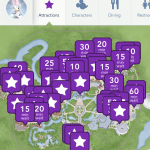
I have talked about planning in past posts and how helpful it is to a Disney World trip. Once you have planned your trip and you have everything set, you can start planning your days in Disney. I know it may seem like a bit much to plan all your days out, but it does help.
If you do not want to plan your whole day, then I would concentrate on which attractions you do not want to miss. Some parks, like Magic Kingdom, have more rides than say Hollywood Studios, but it is still helpful to have a plan of action before you visit each park.
My traveling party learned this on our last trip. Our first park day was at Hollywood Studios and we had not planned anything. We didn’t even look at a map before we went. So it felt like we were just going in circles all day, because I was the only one that had been there and the others didn’t really know what was there to see. We had two wasted days at Hollywood Studios (didn’t plan the second day either).
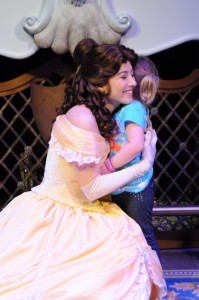
After the Hollywood Studios fiasco, the adults decided to plan out the next day at whatever park we were visiting. Once we started planning which attractions we wanted to see and looking at the maps, we had a better handle on how to plan out the day. Granted, things always happen to throw you off your plan, but being flexible helps. For instance, we had FastPasses (FPs) for Enchanted Tales with Belle, but it was down when it was our time to go. We were told we could come back when it opened and still use the FPs or we could get FPs for another attraction. We held out for awhile and decided to see the other attractions on our list. After checking My Disney Experience multiple times on our phones we saw that Belle was back up and running. So we headed over and had a great time!
Things happen. Attractions break down and need to be fixed. It is good to have an idea of what everyone wants to see and where everything is located in the park. That way if you do have a hiccup in your day, you know where you can head to next and you are not left standing there staring at a map and scratching your head. This is especially helpful for Magic Kingdom. There are over 40 attractions just in Magic Kingdom park. Unless you are a park commando, you will need at least two days to see everything Magic Kingdom has to offer.

If you do not mind getting up early, I would recommend getting to Magic Kingdom for rope drop. It is good to be at each of the parks before they open, but this is especially true for Magic Kingdom. You will be able to fit in so many of the attractions on your list within the first couple of hours, because the park won’t start getting busy until later in the morning into the afternoon. Plus, you get to see the opening ceremony!
It can seem a little daunting to have to plan out each day the night before, but we actually had a lot of fun with it! We would put the kids to bed, throw some laundry in, and break out the maps. We were like kids on Christmas Eve! Planning out the next day got everyone excited for the fun we were going to have the next day in the parks.
If you are staying in Disney World for over a week, it can be a little easier to have a relaxed plan of action. As I said earlier, two days at Magic Kingdom and Epcot can be very helpful when you want to see a majority of the attractions. So, the longer you are there, the more you can break up the days. I know this isn’t an option for a lot of people, due to Disney’s ever rising prices. So if you are there for a week or less, just pick the attractions that you really do not want to miss.
There is a lot of planning that goes into a Disney World vacation, because there is so much to do. When you think about the cost of a Disney vacation, planning out your days will give you a better chance at seeing everything you want to see. Have fun with it! Mix up some drinks and have a little planning party with all the adults in the traveling party. Relax, enjoy, and get excited for your next fun day in Disney World! Happy planning!
Thanks for reading!
Liz ⁰o⁰

I love Disney, all you have to do is glimpse at my website to know that, but I have never been very impressed with Disney’s online presence. I have always felt that for such a big company they really lack when it comes to details and ease of navigation. However, Disney just made things a little easier for those of us that use the ‘My Disney Experience’ app.
I played around with the app for a little while and found the improvements to be very helpful. What Disney has done is give you the ability to buy tickets, make FastPass+ selections, dining reservations, and plan activities right from the home screen. It’s pretty awesome, actually.
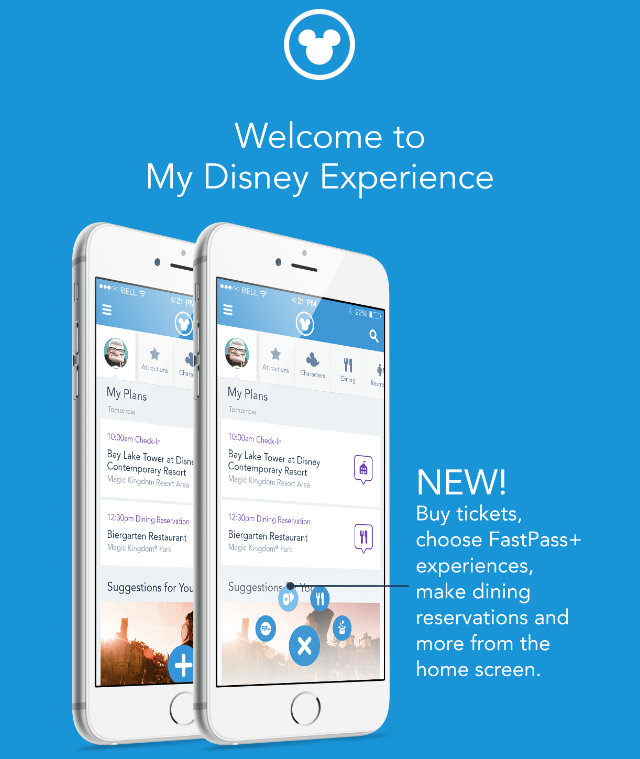
When you are on the home screen of ‘My Disney Experience’ you will see a symbol at the bottom that looks like a plus sign. Click on the plus sign to get the four different symbols for tickets, FastPass+, dining, and entertainment to pop up on the screen. It is a simple addition, but so helpful in making things easier to navigate around on the website. The ability to buy the tickets right from the app is fantastic and it has been integrated into the app very well. Plus, if you just want to price out the tickets this is a very easy way to do that.

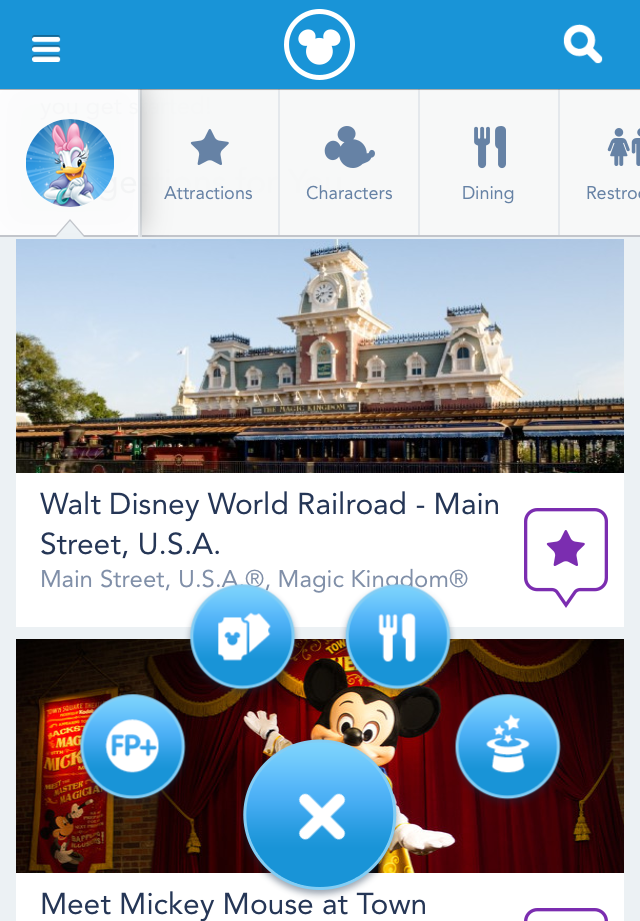
You can see the four different symbols are pretty clear for what they represent. So when you click on the FP+ symbol you will get the screen to reserve your FastPass+ selections, clicking on the ticket symbol will allow you to purchase tickets on your phone, the fork and knife brings you to the dining reservation screen, and the magic hat takes you to the screen where you can add entertainment plans. It is all very straight forward and easy to navigate.

The FastPass+ Screen
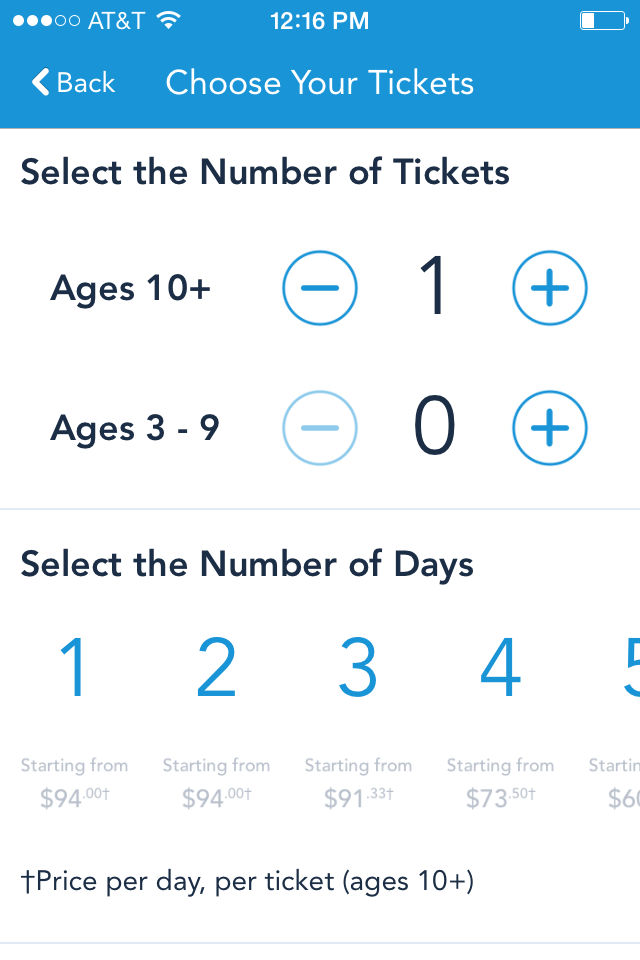
The Ticket Screen

The Dining Reservation Screen

The Extra Activity and Entertainment Screen
Across the top of the screen, on the same line as your character icon, you can swipe to see all the options that are available. This is a nice change too, it really does make it easier for guests to find things on the app. It’s all right there, so you don’t have to go searching.

You can see in the picture above that there are tabs to click on next to Daisy, those are what you swipe. With the tabs you will be able to find attraction wait times, character meet and greets, dining options near you, restrooms in the park, entertainment, events and tours, guest services, and shopping. They also still have the sidebar that you can click on for additional information and options, but a lot of what you need is now right at the top of the screen.
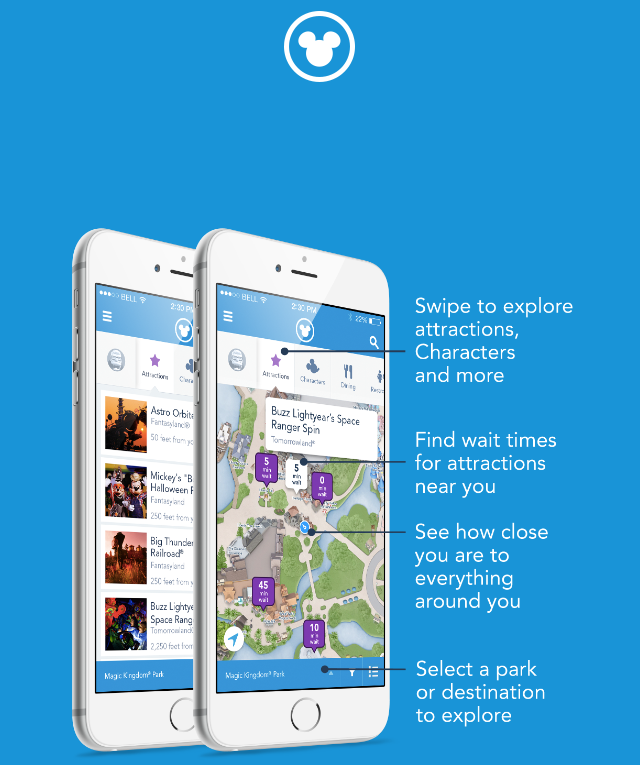
It’s fun to play around with the ‘My Disney Experience’ app and these changes are a welcome improvement. The whole experience feels a little smoother as you navigate around the app. So, if you have a ‘My Disney Experience’ account, you can play around with it now. If you don’t have an account I would recommend setting one up. This app is great and so helpful when you are planning your Disney and it’s helpful while you are on your Disney vacation. Plus, if you are missing Disney it’s fun to pull the app up and look at the park maps…not that I do that. Happy planning!
Thanks for reading!
Liz ⁰o⁰
[whohit]My Disney Experience[/whohit]